Join the Multisig
This guide explains how to join the validator multisig of the BitSong Hyperlane bridge (crescendo-1 ↔ Base Sepolia) using a production AWS setup: signing key in AWS KMS and checkpoints in S3.
It is for operators joining an existing bridge: you do not deploy the Mailbox, ISMs, or hooks — those already exist. You only generate your key, get added to the multisig, and start your validators.
It follows the official Hyperlane documentation adapted for BitSong. For the full AWS console walkthrough and the run/operate details, see the Agent Keys and Run Validators guides.
How joining works
The multisig is enforced on-chain by a MessageId Multisig ISM: it holds the list of validator EVM addresses and a threshold of required signatures.
There are therefore two roles:
| Role | Who | What they do |
|---|---|---|
| Operator (you) | New validator | Create the KMS key, share the EVM address, run the validators |
| Bridge owner | BitSong team | Create the new MultisigISM with your address and update the RoutingISM |
The full flow:
You prepare the AWS resources and derive the validator address
You send your EVM address to the BitSong team
The BitSong team adds you to the multisig (new ISM + new threshold)
You start the two validators and wait for the announcement
Bridge parameters (crescendo-1)
These are the real IDs of the bridge currently in production. You need them for the agent-config.json.
0x68797065726c616e6500000000000000000000000000000000000000000000000x726f757465725f706f73745f64697370617463680000000300000000000000000x726f757465725f706f73745f64697370617463680000000400000000000000010x726f757465725f69736d0000000000000000000000000001000000000000000171717171 — Base Sepolia: 84532bitsongd query hyperlane mailboxes --output json | jq '.mailboxes'
bitsongd query hyperlane hooks merkle-tree-hooks --output json | jq '.merkle_tree_hooks'
bitsongd query hyperlane hooks igps --output json | jq '.igps'
crescendo-1 deployment the bridge validators run in local mode (hex key + filesystem checkpoints), not AWS. This does not change the joining procedure: the MultisigISM stores only EVM addresses, so an AWS-KMS validator and a hex-key validator can coexist in the same multisig. This guide uses AWS because it is the recommended production approach.Prerequisites
- A VPS (Ubuntu 22.04/24.04, 2 vCPU, 2 GB RAM, 20 GB disk recommended)
- Docker installed and working (guide)
- Foundry installed (provides
cast, needed to derive the address from KMS) - An AWS account
- A private Base Sepolia RPC endpoint (do not use public RPCs in production)
- Access to a synced BitSong node (RPC
26657+ gRPC9090) - A Cosmos account funded with TBTSG to pay for the announcement gas
sudo apt-get update && sudo apt-get install -y jq awscli
curl -L https://foundry.paradigm.xyz | bash && source ~/.bashrc && foundryup
cast --version
Step 1 — Create the AWS resources
Create the three AWS resources following the detailed Agent Keys → AWS Environment guide:
- IAM user (e.g.
hyperlane-validator-bitsong) with an access key for "Application running outside AWS" - Asymmetric KMS key for validator signing
- Publicly readable S3 bucket for checkpoints
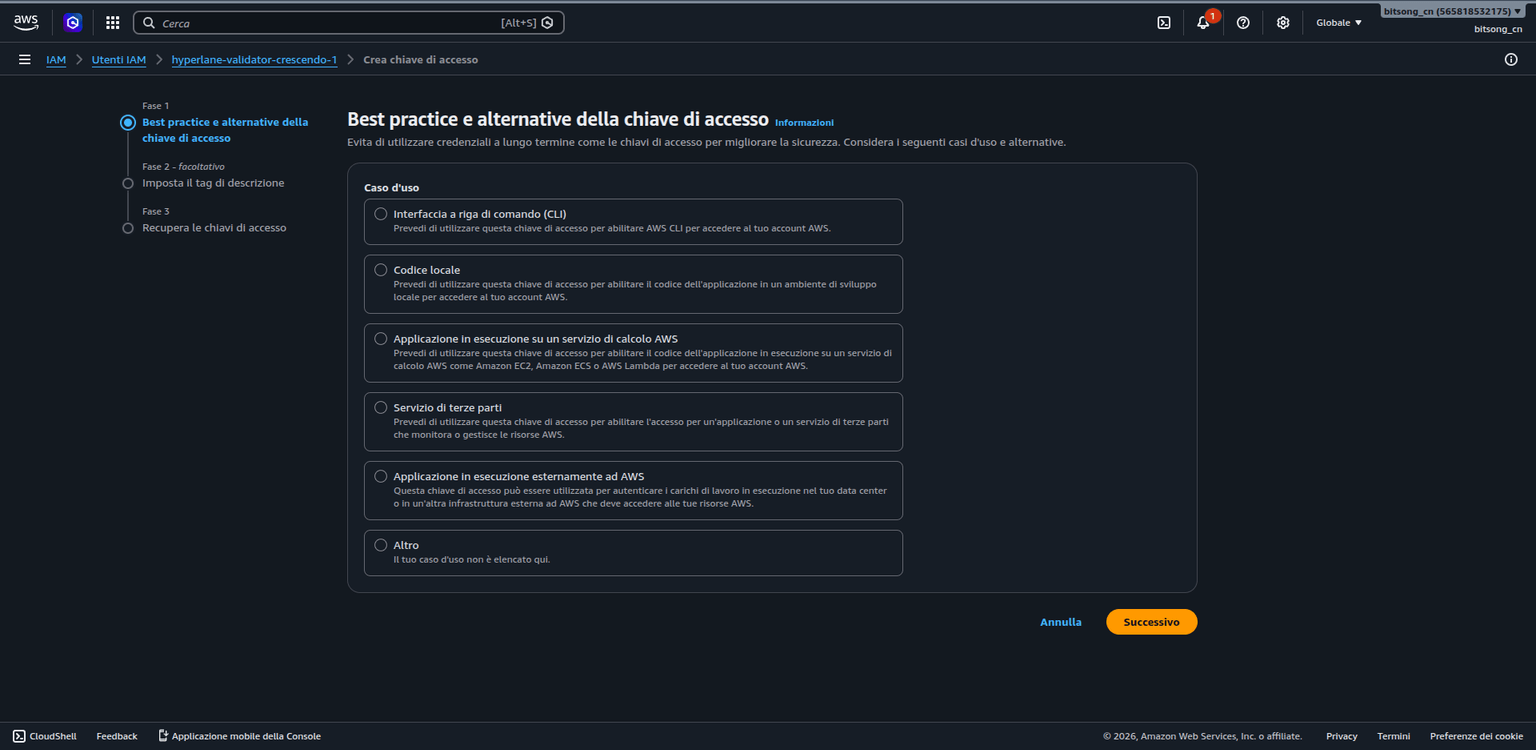
For the IAM user access key: console → IAM → Users → (your user) → Security credentials → Create access key → use case "Application running outside AWS".
.csv or copy it immediately; it cannot be recovered. Treat it like a password: keep it only in the server's environment file (chmod 600), never in a repository.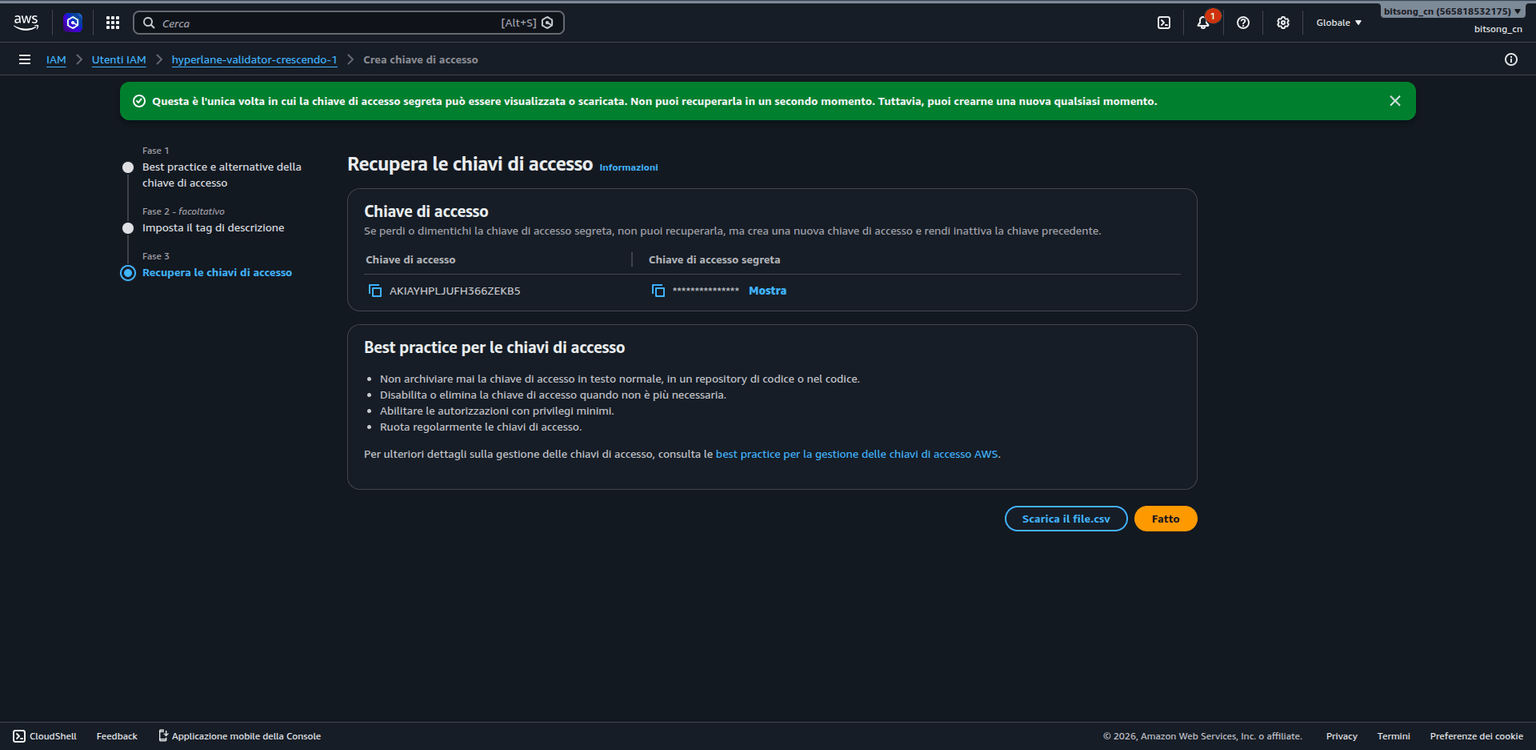
Configure the environment on the server:
export AWS_ACCESS_KEY_ID="<your-access-key-id>"
export AWS_SECRET_ACCESS_KEY="<your-secret-access-key>"
export AWS_REGION="us-east-1"   # use your region
AWS_REGION is required. Without it the agent fails with Invalid Configuration: Missing Region.Create the KMS key with these parameters:
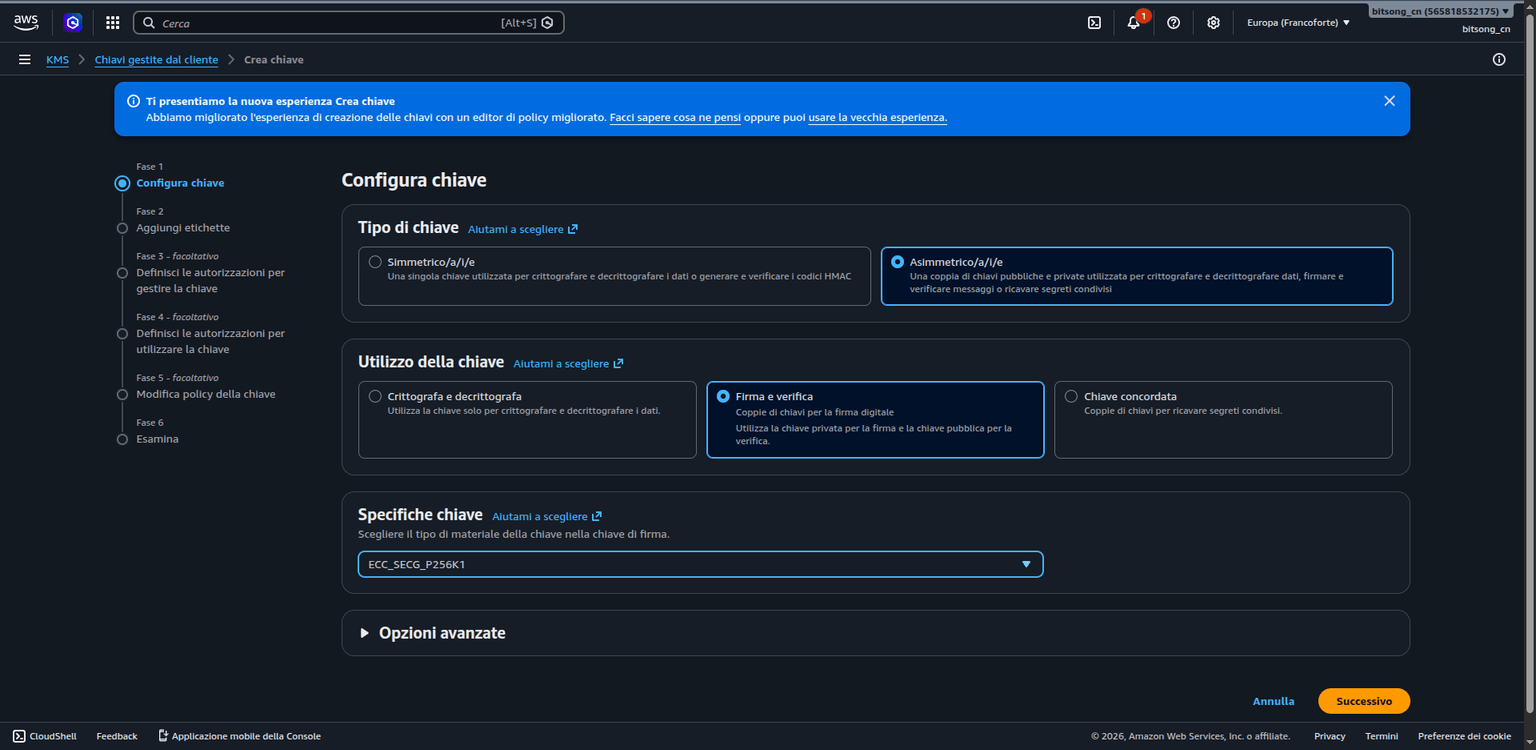
| Setting | Value |
|---|---|
| Key type | Asymmetric |
| Key usage | Sign and verify |
| Key spec | ECC_SECG_P256K1 |
| Alias | hyperlane-validator-signer-bitsong |
In the KMS console, Create key → Configure key: select Asymmetric, Sign and verify, and the spec ECC_SECG_P256K1 (the secp256k1 curve used by Ethereum and Hyperlane).
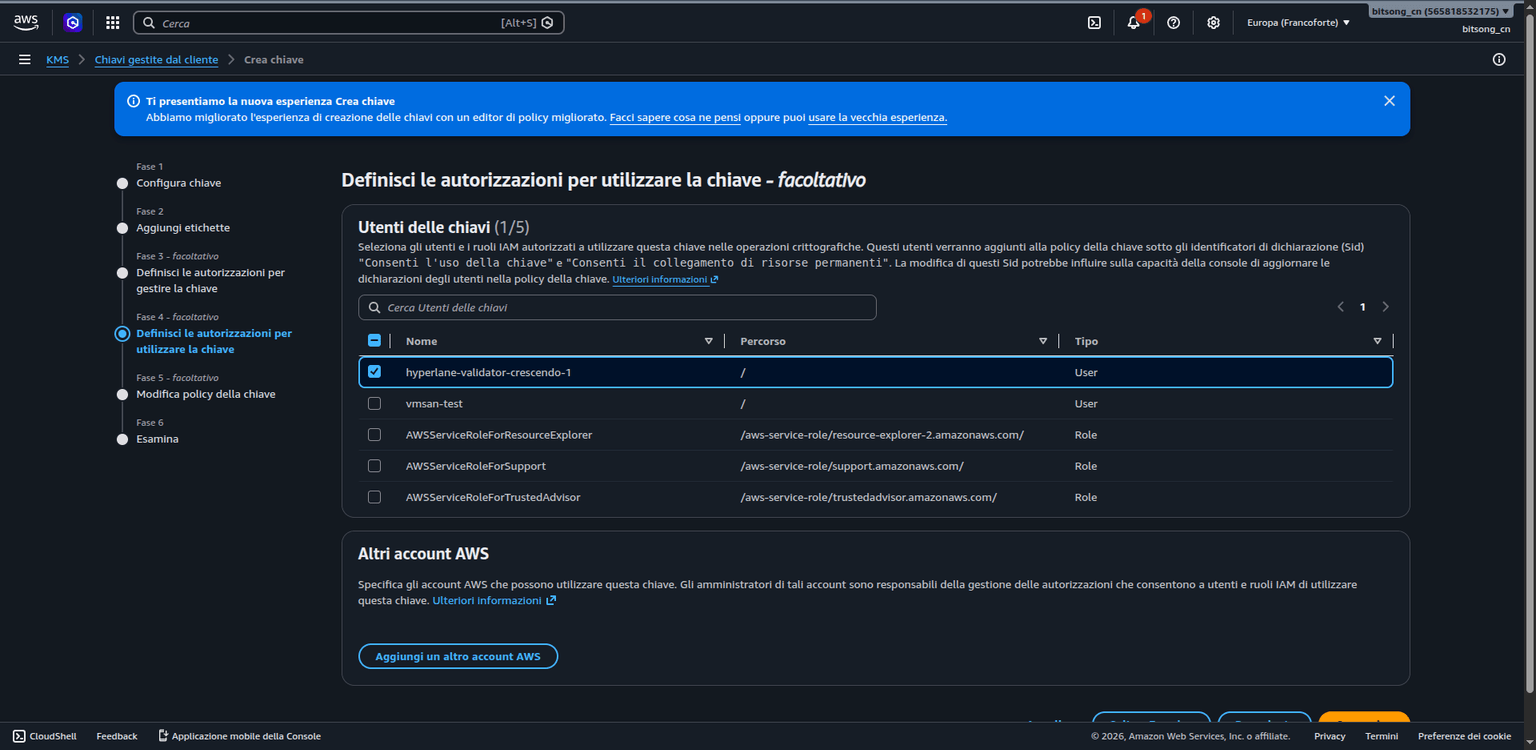
In the Define key usage permissions step, select the validator's IAM user so the agent can sign with the key:
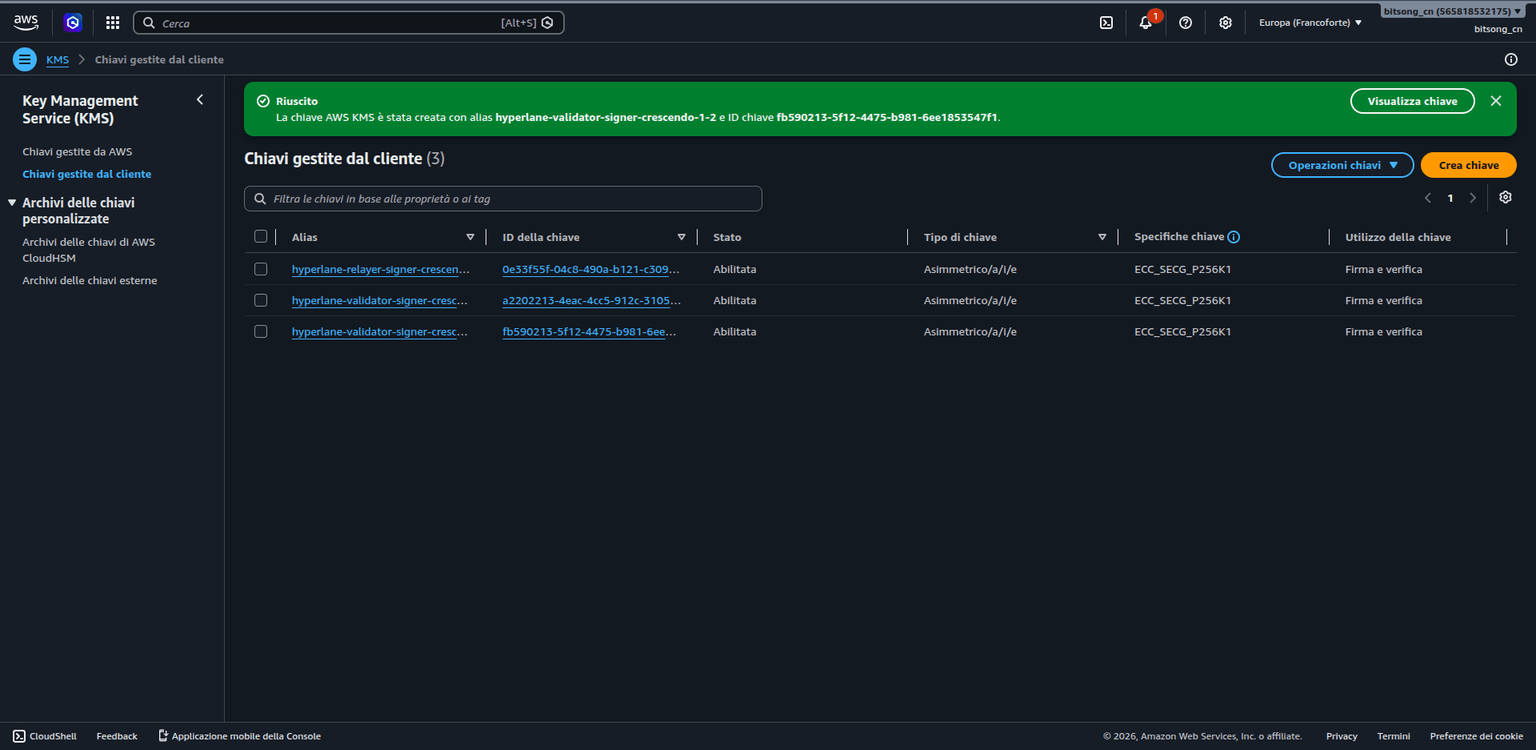
Once finished, the key appears under Customer managed keys:
And an S3 bucket (same region) with this name:
hyperlane-validator-signatures-bitsong
The bucket policy (public read + write only for your IAM user) is documented in the Agent Keys guide. The bucket must be publicly readable, otherwise the validator never writes its checkpoints — verify an anonymous GET on a missing key returns 404, not 403.
Step 2 — Derive your validator EVM address
This is the address that will go into the multisig. Derive it from the KMS key:
AWS_KMS_KEY_ID=alias/hyperlane-validator-signer-bitsong cast wallet address --aws
export VALIDATOR_ADDR="0x<kms-derived-validator-address>"
echo "Validator address to register in the multisig: $VALIDATOR_ADDR"
openssl + cast):# save the PEM to pk.pem, then:
POINT=$(openssl pkey -pubin -in pk.pem -outform DER | tail -c 65 | xxd -p | tr -d '\n')
cast to-checksum-address 0x$(cast keccak 0x${POINT:2} | cut -c27-66)
keccak256(uncompressed-public-key) — exactly what cast wallet address --aws does, but without credentials.aws s3 cp /etc/hostname s3://hyperlane-validator-signatures-bitsong/healthcheck.txt
aws s3 rm s3://hyperlane-validator-signatures-bitsong/healthcheck.txt
Step 3 — Send your address to the BitSong team
Share only the EVM address ($VALIDATOR_ADDR) with the team — never the private key or AWS credentials.
The BitSong team (bridge owner) re-creates the MultisigISM with the updated validator list and re-points the route. The exact owner commands are documented in Rotate the Multisig.
2 keeps the bridge operational even if one validator goes offline.When the operation is complete, verify your address is in the active multisig:
# ID of the MultisigISM currently pointed to by the Base Sepolia route
ACTIVE_ISM=$(bitsongd query hyperlane ism isms --output json \
  | jq -r '.isms[] | select(."@type" | test("RoutingISM")) | .routes[] | select(.domain==84532) | .ism')

bitsongd query hyperlane ism isms --output json \
  | jq --arg id "$ACTIVE_ISM" '.isms[] | select(.id==$id) | {id, validators, threshold}'
Your $VALIDATOR_ADDR must appear in the validators array.
Step 4 — Create the Cosmos announcement key
BitSong is a Cosmos chain: checkpoint signing uses KMS, but the on-chain announcement transaction needs a Cosmos key (hex format).
bitsongd keys add hyperlane-signer --keyring-backend test

COSMOS_SIGNER_KEY=0x$(bitsongd keys export hyperlane-signer --unarmored-hex --unsafe --keyring-backend test 2>&1 | tail -1)
export COSMOS_SIGNER_KEY
Fund the account with TBTSG (without a balance the announcement fails):
bitsongd tx bank send <your-funded-key> $(bitsongd keys show hyperlane-signer -a --keyring-backend test) 10000000utbtsg \
  --from <your-funded-key> --keyring-backend test \
  --chain-id crescendo-1 --node tcp://localhost:26657 \
  --fees 10000utbtsg -y
Step 5 — Prepare configuration and environment
mkdir -p $HOME/hyperlane-bitsong/{config,db}
Environment file (restricted permissions):
AWS_ACCESS_KEY_ID=<your-access-key-id>
AWS_SECRET_ACCESS_KEY=<your-secret-access-key>
AWS_REGION=us-east-1
COSMOS_SIGNER_KEY=0x<your-cosmos-signer-private-key>
S3_BUCKET=hyperlane-validator-signatures-bitsong
HYPERLANE_IMAGE=ghcr.io/hyperlane-xyz/hyperlane-agent:agents-v2.2.0
chmod 600 $HOME/hyperlane-bitsong/validator.env
source $HOME/hyperlane-bitsong/validator.env
docker pull --platform linux/amd64 $HYPERLANE_IMAGE
Create the agent-config.json with the real bridge IDs already filled in:
{
  "chains": {
    "bitsong": {
      "name": "bitsong",
      "chainId": "crescendo-1",
      "domainId": 71717171,
      "protocol": "cosmosNative",
      "bech32Prefix": "bitsong",
      "slip44": 639,
      "contractAddressBytes": 32,
      "canonicalAsset": "utbtsg",
      "rpcUrls": [{ "http": "http://127.0.0.1:26657" }],
      "grpcUrls": [{ "http": "http://127.0.0.1:9090" }],
      "nativeToken": { "name": "BitSong", "symbol": "BTSG", "decimals": 6, "denom": "utbtsg" },
      "gasPrice": { "amount": "0.025", "denom": "utbtsg" },
      "gasMultiplier": "1.5",
      "blocks": { "confirmations": 1, "estimateBlockTime": 6, "reorgPeriod": 1 },
      "index": { "from": 3895000, "chunk": 500 },
      "mailbox": "0x68797065726c616e650000000000000000000000000000000000000000000000",
      "validatorAnnounce": "0x68797065726c616e650000000000000000000000000000000000000000000000",
      "merkleTreeHook": "0x726f757465725f706f73745f6469737061746368000000030000000000000000",
      "interchainGasPaymaster": "0x726f757465725f706f73745f6469737061746368000000040000000000000001"
    },
    "basesepolia": {
      "name": "basesepolia",
      "chainId": 84532,
      "domainId": 84532,
      "protocol": "ethereum",
      "rpcUrls": [{ "http": "https://<your-private-base-sepolia-rpc>" }],
      "nativeToken": { "name": "Ether", "symbol": "ETH", "decimals": 18 },
      "blocks": { "confirmations": 1, "estimateBlockTime": 2, "reorgPeriod": 1 },
      "index": { "from": 39040037, "chunk": 999 },
      "mailbox": "0x6966b0E55883d49BFB24539356a2f8A673E02039",
      "validatorAnnounce": "0x20c44b1E3BeaDA1e9826CFd48BeEDABeE9871cE9",
      "merkleTreeHook": "0x86fb9F1c124fB20ff130C41a79a432F770f67AFD",
      "interchainGasPaymaster": "0x28B02B97a850872C4D33C3E024fab6499ad96564"
    }
  }
}
rpcUrls/grpcUrls at your node. For Base Sepolia use a private RPC. The index.from for BitSong should be a recent height (not 1), and 39040037 for Base Sepolia matches the current bridge deployment.https://sepolia.base.org) limits log queries to 2000 blocks, and Coinbase CDP limits to 1000. With a higher index.chunk you will see query exceeds max block range and indexing stalls. Keep basesepolia.index.chunk ≤ 999 (CDP) or ≤ 2000 (public) — 999 is safe for both.jq . $HOME/hyperlane-bitsong/config/agent-config.json > /dev/null && echo "Valid JSON"
Step 6 — Start the two validators
You need two containers: one watches BitSong, the other Base Sepolia. Both sign with the same KMS key but write to separate S3 folders.
--checkpointSyncer.type localStorage the validator announces a file:///... path readable only by relayers on the same host — fine for a single-machine test, unsuitable for a distributed setup.mkdir -p $HOME/hyperlane-bitsong/db/validator-bitsong $HOME/hyperlane-bitsong/db/validator-basesepolia
source $HOME/hyperlane-bitsong/validator.env
BitSong validator
docker run -d \
  --name hyperlane-validator-bitsong \
  --restart unless-stopped \
  --network host \
  --user $(id -u):$(id -g) \
  --ulimit nofile=65536:65536 \
  --env-file $HOME/hyperlane-bitsong/validator.env \
  -e CONFIG_FILES=/config/agent-config.json \
  -v $HOME/hyperlane-bitsong/config/agent-config.json:/config/agent-config.json:ro \
  -v $HOME/hyperlane-bitsong/db/validator-bitsong:/hyperlane_db \
  --log-opt max-size=50m --log-opt max-file=5 \
  $HYPERLANE_IMAGE \
  ./validator \
  --db /hyperlane_db \
  --originChainName bitsong \
  --reorgPeriod 1 --interval 10 \
  --validator.type aws \
  --validator.region $AWS_REGION \
  --validator.id alias/hyperlane-validator-signer-bitsong \
  --chains.bitsong.signer.type cosmosKey \
  --chains.bitsong.signer.key $COSMOS_SIGNER_KEY \
  --chains.bitsong.signer.prefix bitsong \
  --checkpointSyncer.type s3 \
  --checkpointSyncer.bucket $S3_BUCKET \
  --checkpointSyncer.region $AWS_REGION \
  --checkpointSyncer.folder bitsong \
  --metrics-port 9101 --log.format json --log.level info
cosmosKey for the chain signer (to sign the on-chain announcement), while checkpoint signing uses aws (KMS).Base Sepolia validator
$VALIDATOR_ADDR with ETH on Base Sepolia (Coinbase faucet) before starting it.docker run -d \
--name hyperlane-validator-basesepolia \
--restart unless-stopped \
--network host \
--user $(id -u):$(id -g) \
--ulimit nofile=65536:65536 \
--env-file $HOME/hyperlane-bitsong/validator.env \
-e CONFIG_FILES=/config/agent-config.json \
-v $HOME/hyperlane-bitsong/config/agent-config.json:/config/agent-config.json:ro \
-v $HOME/hyperlane-bitsong/db/validator-basesepolia:/hyperlane_db \
--log-opt max-size=50m --log-opt max-file=5 \
$HYPERLANE_IMAGE \
./validator \
--db /hyperlane_db \
--originChainName basesepolia \
--reorgPeriod 1 --interval 10 \
--validator.type aws \
--validator.region $AWS_REGION \
--validator.id alias/hyperlane-validator-signer-bitsong \
--chains.basesepolia.signer.type aws \
--chains.basesepolia.signer.region $AWS_REGION \
--chains.basesepolia.signer.id alias/hyperlane-validator-signer-bitsong \
--checkpointSyncer.type s3 \
--checkpointSyncer.bucket $S3_BUCKET \
--checkpointSyncer.region $AWS_REGION \
--checkpointSyncer.folder basesepolia \
--metrics-port 9201 --log.format json --log.level info
Step 7 — Verify
Check the containers are running and read the logs:
docker ps --filter "name=hyperlane-validator" --format "table {{.Names}}\t{{.Status}}"
docker logs -f --tail 100 hyperlane-validator-bitsong
Verify the BitSong validator announcement (can take up to 2 minutes):
bitsongd query hyperlane ism announced-storage-locations \
  0x68797065726c616e650000000000000000000000000000000000000000000000 \
  $(echo $VALIDATOR_ADDR | tr '[:upper:]' '[:lower:]') \
  --output json --node tcp://localhost:26657 | jq '.storage_locations'
A non-empty storage_locations array confirms the validator announced where relayers can find its checkpoints.
Verify checkpoints are written to S3 (they appear when messages are dispatched from the origin Mailbox):
aws s3 ls s3://$S3_BUCKET/bitsong/ --recursive
aws s3 ls s3://$S3_BUCKET/basesepolia/ --recursive
Troubleshooting
The Cosmos signer account needs TBTSG for gas. Check the address, fund it, and restart the container:
bitsongd keys show hyperlane-signer -a --keyring-backend test
docker restart hyperlane-validator-bitsong
The KMS-derived address needs ETH on Base Sepolia. Recover it, fund it, and restart:
AWS_KMS_KEY_ID=alias/hyperlane-validator-signer-bitsong cast wallet address --aws
docker restart hyperlane-validator-basesepolia
AWS_REGION must be present in validator.env and passed to the container via --env-file:
grep AWS_REGION $HOME/hyperlane-bitsong/validator.env
Read the logs: common causes are invalid agent-config JSON, unreachable RPC/gRPC endpoints, missing AWS credentials, a wrong KMS alias, or a missing COSMOS_SIGNER_KEY.
docker logs hyperlane-validator-bitsong
Next Steps
Testing Warp Route
Test cross-chain token transfers between BitSong and Base Sepolia using your deployed Hyperlane warp route.
Rotate the Multisig
Owner procedure to change the Hyperlane validator set or threshold on the live BitSong crescendo-1 bridge by creating a new MultisigISM and re-pointing both sides.